How to use the app
The app lives inside Telegram. It opens in a couple of seconds, with nothing to install and no sign-up.
- 1
Open the app
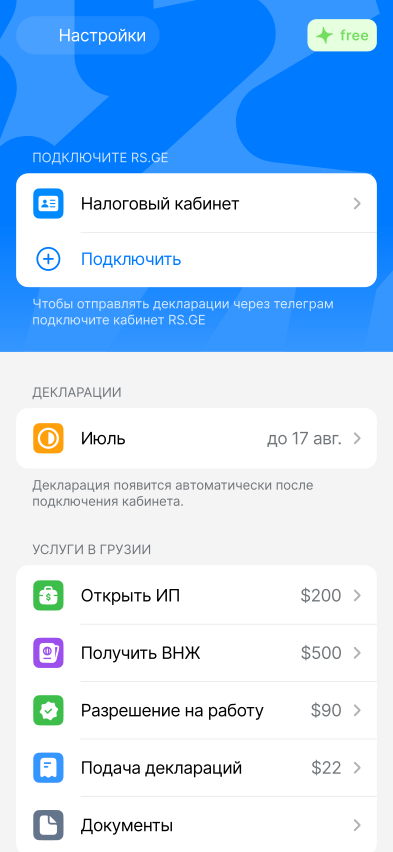
Press the button below or find Settly App in Telegram. You are logged in with your Telegram account, no password to invent.
- 2
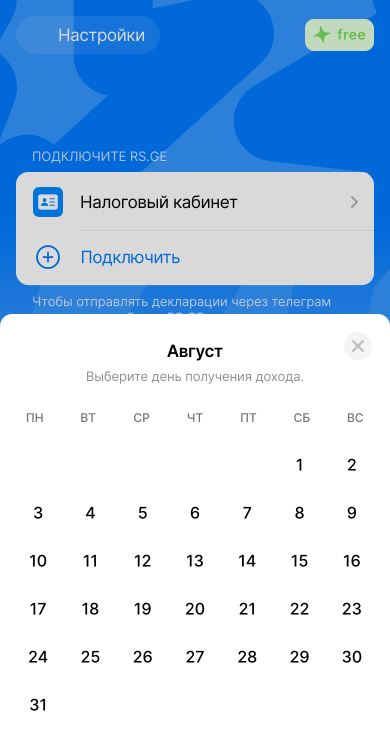
Pick the day the income arrived
On the main screen press Add income and pick the day the money arrived. A declaration covers the previous month, so the date decides which declaration the income goes into, and the lari rate is taken for that same day.
- 3
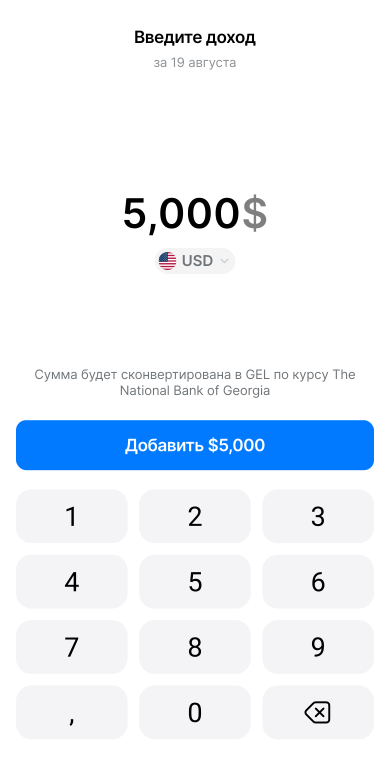
Enter the amount and currency
Enter the amount in the currency you were paid in. Dollars and euros are converted to lari at the National Bank rate for that day, and the 1% tax is calculated for you.
- 4
Connect your tax account
Press Connect on the main screen. A manager gets in touch in Telegram and connects the account through the tax authority official API, free of charge. The account is what lets us file declarations and lets you see your small business status, the limit and any tax debt.
- 5
Filing with the tax office
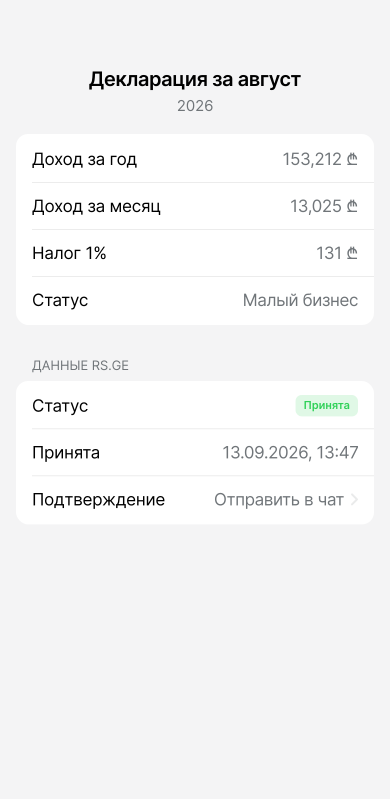
Between the 1st and the 15th the declaration for the previous month appears in the app: check the amount and press Send. It goes to rs.ge through the integration with the Revenue Service, and the status and the confirmation of acceptance come back to the app. If there was no income, a zero declaration is sent the same way.
- 6
The annual limit and the tax for the year
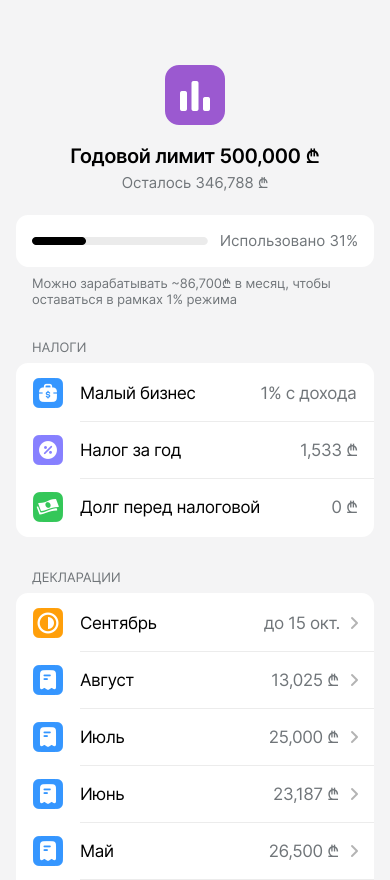
You can see how much of the 500,000 ₾ you have earned and how much you can earn a month to stay on the 1% regime. Below it, the tax for the year and your tax debt: we check it in rs.ge and warn you before it grows.
- 7
Every declaration in one place
Each month with its amount and status, the confirmations from the tax office at hand, and how many declarations are left this year.
- 8
Certificates and registry extracts
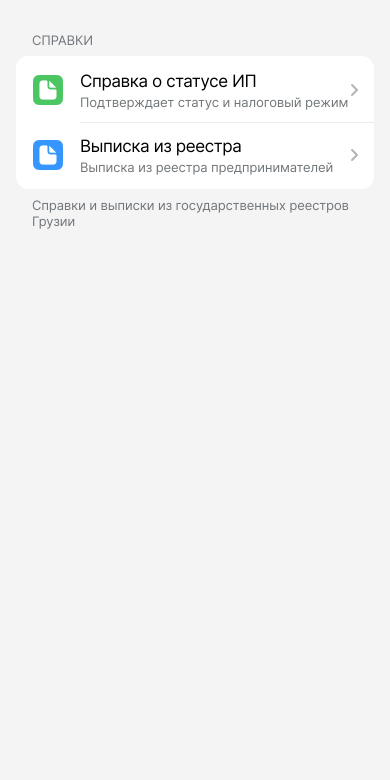
The certificate of IE status confirms your tax regime, and the extract from the Entrepreneurial Register arrives as a PDF. Both are requested in the app and come to the bot chat, for wherever your status has to be proven: a bank, a residence permit application, a loan.
Tracking income, watching the limit and asking the assistant are free, with no card and no time limit.
A subscription is for when you would rather not log into rs.ge and fill in the declaration every month. It goes off straight from Telegram, and the confirmation of acceptance and the letters from the Revenue Service arrive in the same place. It costs 60 ₾ a month, or 50 ₾ a month paid yearly.
What else is in the app
Filing deadline reminders
We remind you 3 days before and on the 15th, the deadline day.
Messages from the tax office
Arrive in the app, translated, with what to do about them.
An assistant with your context
Answers from your numbers, with links to the tax code and rs.ge. Starts the next step for you: filing, IE, residence permit.
Services in Georgia
IE registration, residence permit assistance and work permit. You apply in the app and a manager takes it from there.
Frequently asked questions
Yes. Individual entrepreneurs in Georgia must submit a declaration every month, even if there was no income.
Declarations must be submitted before the 15th of each month for the previous month. Example: income in March → declaration before April 15.
No. Record income from day one; the account is needed by the time we file the declaration with rs.ge.
Yes. Your access is used only to prepare and submit declarations.
Yes. Income, the limit, reminders and the assistant work for free, with no card. Only filing is paid.